Install it
Take the package for your machine and open it. Nothing to configure before the first launch.
 L.code中文Download
 A DESKTOP WORKBENCH FOR CLAUDE CODE
L.code gives the agent a window. Run sessions across your projects side by side, watch the files it touches as it touches them, and approve every action before it happens.
A direct download. No account, no sign-up.
The same app on all three. Once installed, it checks for updates on its own.
Take the package for your machine and open it. Nothing to configure before the first launch.
Open a folder, pick a branch, and decide whether the agent works in your tree or an isolated worktree.
Every command and every edit is offered before it runs, with the diff already on screen beside it.
BUILT TO STAY OUT OF THE WAY
Five more views from the app as it ships today.
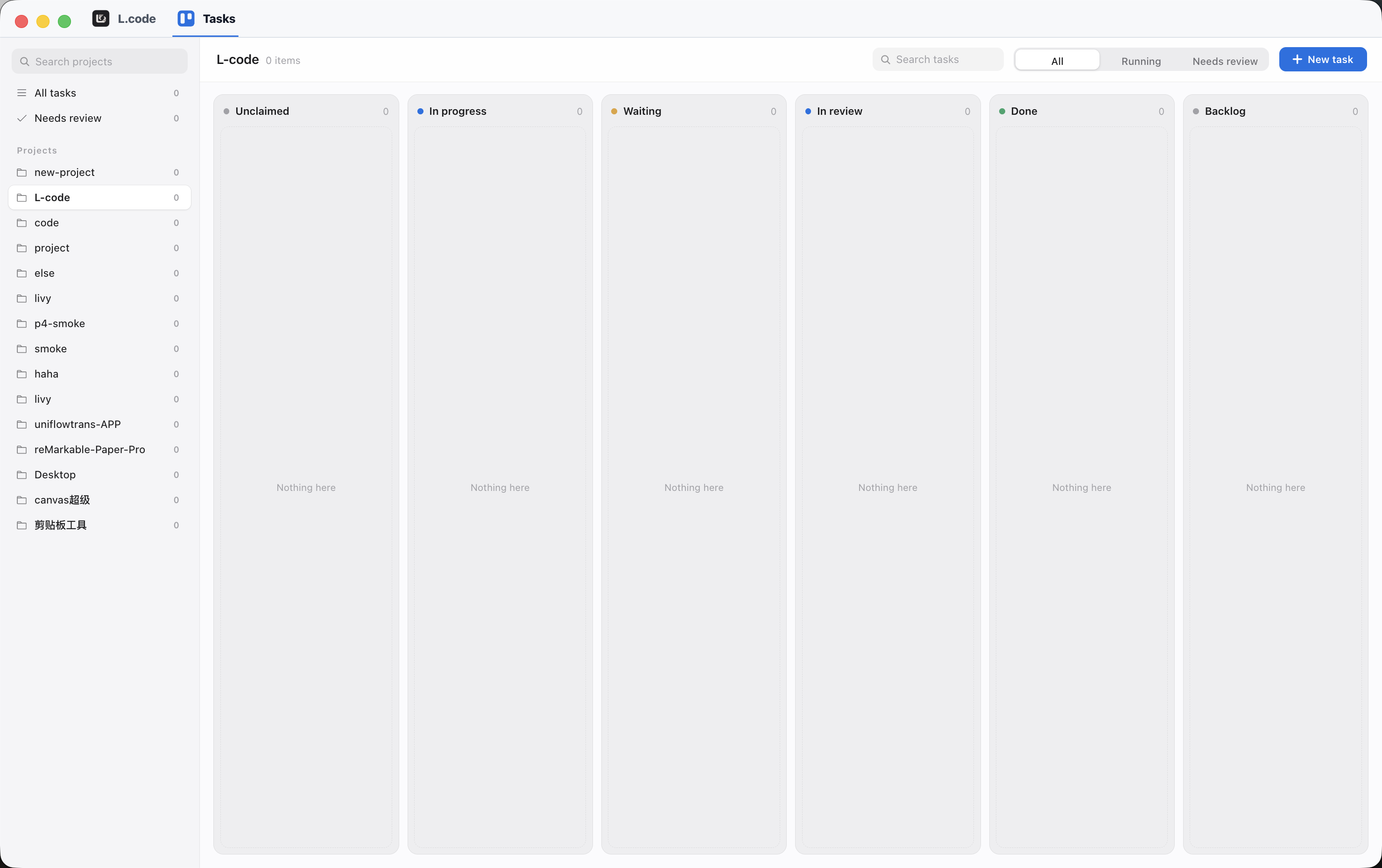
Every agent task lands in a column: unclaimed, in progress, waiting, in review, done. Filter down to what is running or what needs your review, and open a card to read the report the agent handed back.
Read the whole scene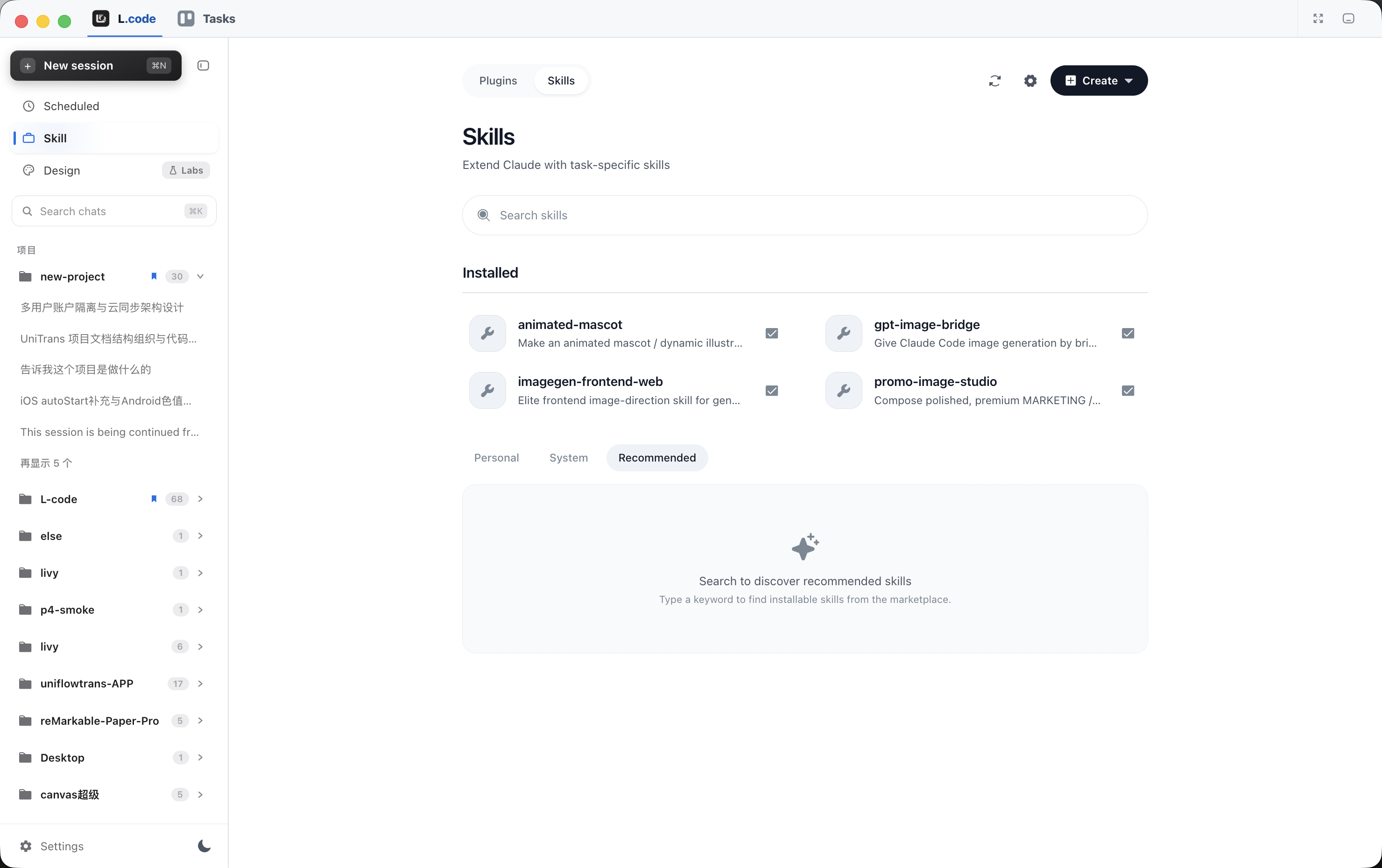
Install a skill and the agent gains a capability — image generation, design review, whatever you keep explaining twice. Personal, system and recommended skills sit in one manager, each a checkbox away from on or off.
Read the whole scene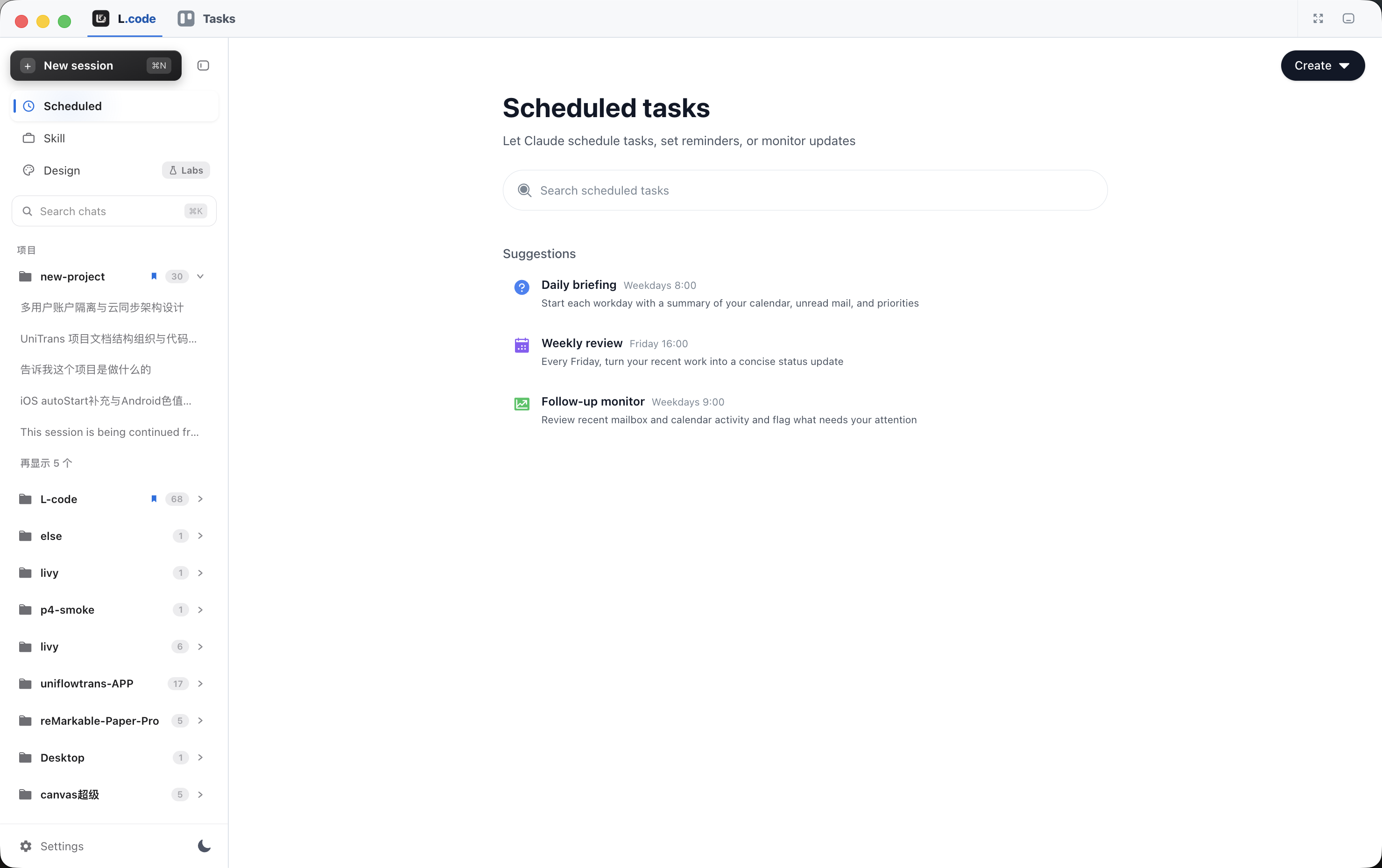
Put a session on a schedule and it starts on its own: a briefing every weekday morning, a review every Friday afternoon. The result is waiting for you when you come back.
Read the whole scene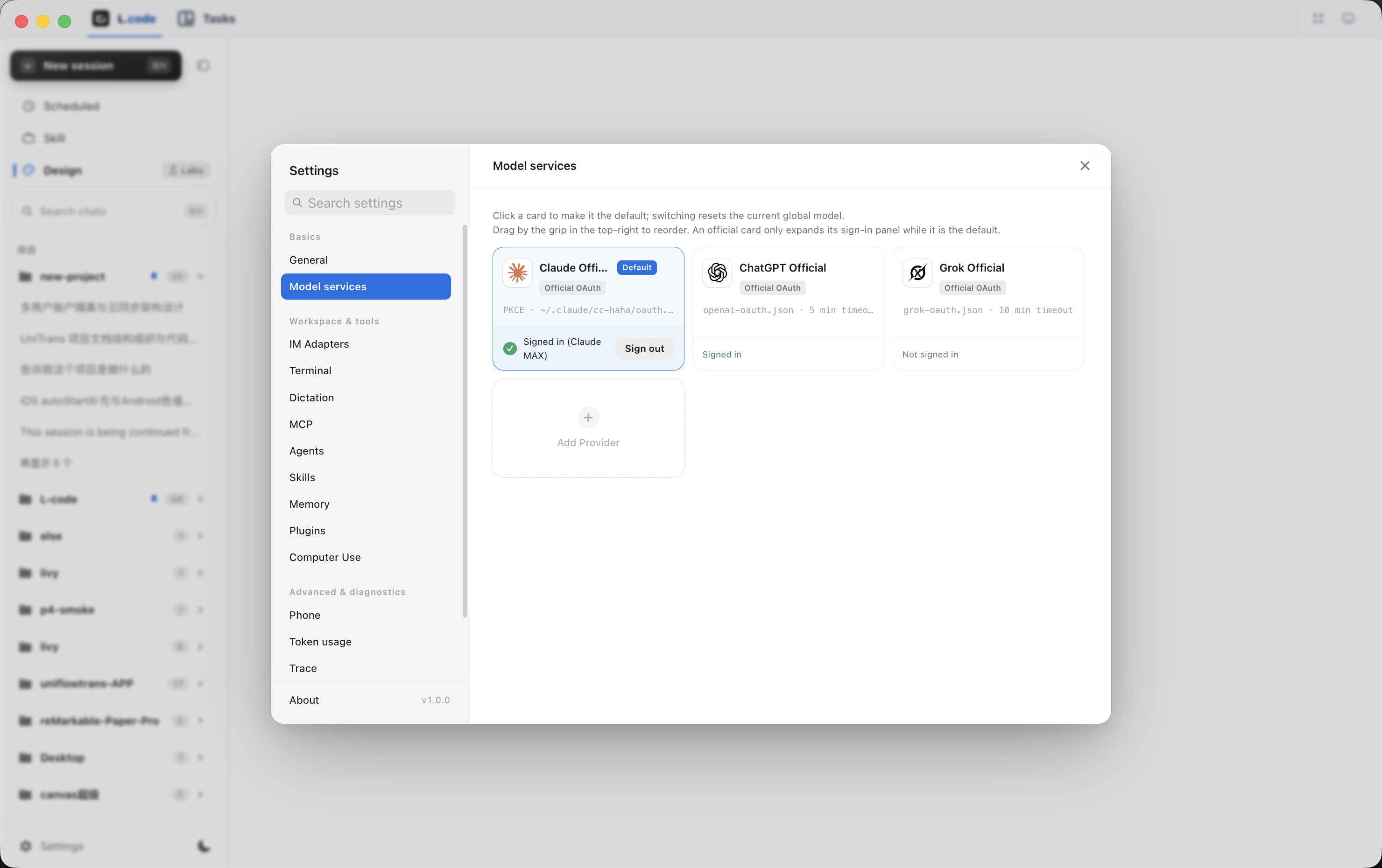
Sign in to an official provider or bring your own API key. Choose the default model for new sessions, drag the cards into the order you want, and switch models mid-session from the composer.
Read the whole scene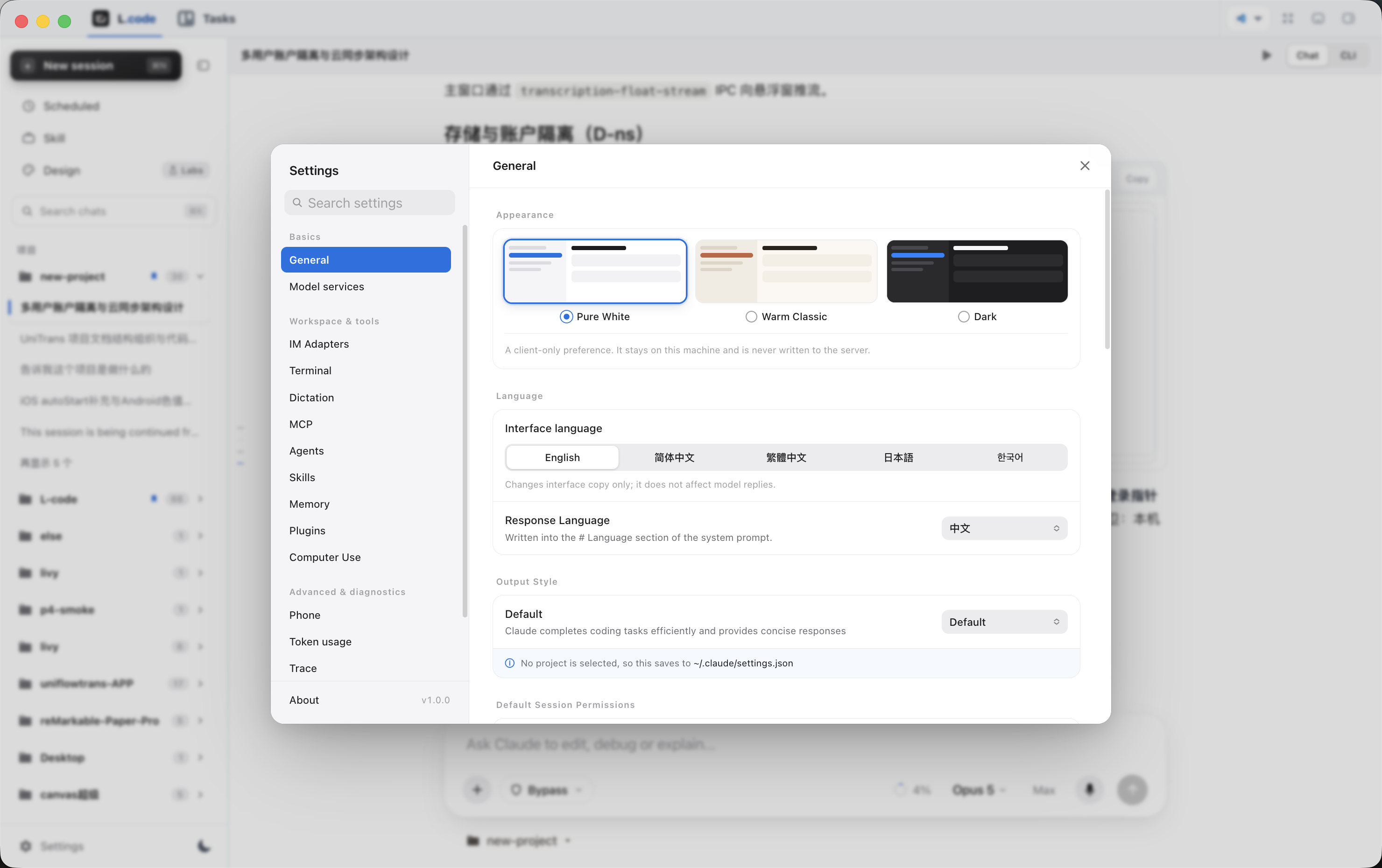
Three themes, five interface languages and the language the agent replies in, all on one page. Default session permissions live here too, so a new session starts by asking for exactly what you meant to allow. Further down the same panel: IM adapters, Computer Use and token usage.
Read the whole sceneMADE TO CONNECT
Your shell, your git checkout, your editor and your model provider stay where they are. L.code is the window in front of them, not a place to move your work into.
See how a session runsHOW YOU GET IT
The app is a direct download. What differs is where the model quota behind it comes from, and that is a choice you make on the first run.
Sign in to a provider and the app runs on that subscription.
Start herePaste an endpoint and a key, and the model list fills itself in.
Start hereSIX SCENES
Each of the six screens above solves a different part of the same problem. Here is what changes when it does.
WHY IT IS SHAPED THIS WAY
A terminal shows the last thing that happened. A window can show the whole thing at once, which is the only reason to leave the terminal at all.
Approval before an action is not a dialog you learn to dismiss. It is the diff, already rendered, next to the command that produced it.
Anything you have explained to the agent twice should have been a skill the first time. That is the whole design brief for the manager.
BEFORE YOU DOWNLOAD
The five that come up before the first launch. Anything about a specific package is on the download page.
Go to the download pageNot on this site. The download is direct and nothing is entered before the first launch. You do need somewhere for the model to come from, which is either a provider sign-in or your own key.
Yes. The same sessions, the same transcript, and a real terminal view one toggle away from the chat view — so nothing is hidden from you that the command line would have shown.
Only if you tell it to. Default session permissions are a settings page, and a new session starts by asking for exactly what you allowed there. The diff is on screen before you answer.
An installed copy checks on its own and installs in place. The download page is only for the first install and for moving to a new machine.
The one your projects are already checked out on. The agent works in your real working tree, or in an isolated worktree beside it if you would rather it did not.
START WHERE YOU ALREADY WORK
One download, no account. macOS, Windows and Linux, from the same page.